
Copilot: Why Microsoft’s AI is much more than a chatbot
When talking about Microsoft Copilot, people quickly focus on its most visible feature: the chat window. A short prompt, an equally short response, a hint of efficiency. At least, that’s the common perception. But this reduction to the obvious falls short – and underestimates how deeply Copilot actually intervenes in the technical and organisational infrastructure of companies.
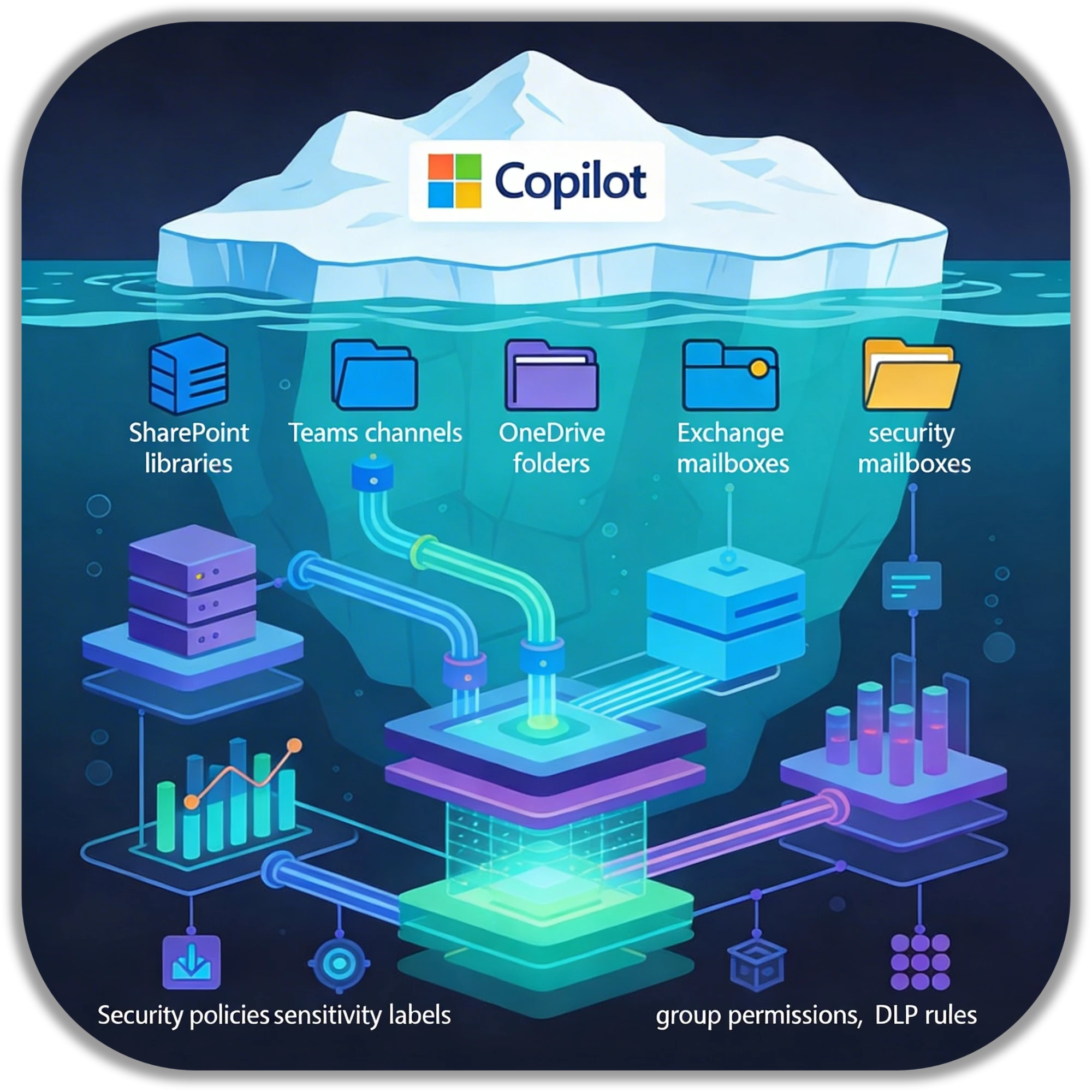
Copilot is not an add-on that can be activated like a plugin. It is a system built on the entire Microsoft 365 architecture – and thus follows a classic iceberg model: the visible tip appears light and intuitive, while the crucial part lies invisible below the waterline.
The illusion of simplicity
Whether it’s summaries in Word, automated text suggestions in Outlook or quick analyses in Teams, Copilot’s interface gives the impression of smooth, almost playful usability. There is no indication that a complex network of permissions, data flows and governance structures is at work in the background.
But it is precisely this hidden layer that determines whether Copilot provides productive support or reveals chaos that was previously lurking beneath the surface.
Below the waterline: where Copilot really works
Company data is rarely homogeneous. It is distributed across SharePoint libraries, Teams channels, OneDrive folders and Exchange mailboxes. Security policies, sensitivity labels, group structures and DLP rules determine who can access what – and who cannot.
Copilot not only navigates this landscape, it mirrors it
AI does not invent information, but only processes what is technically approved and administratively intended. This makes Copilot a touchstone for governance and data quality. Where permissions are too broad, Copilot delivers too much. Where information is unstructured, answers remain superficial or incomplete.
The path to implementation: Not plug and play
Successful Copilot implementation is therefore less of a technical step and more of an organisational process. In addition to licensing and training, it requires the interaction of various disciplines: identity and access management, information architecture, security, governance, data protection, and change management. Only when all these areas are interlinked can the added value promised by Copilot be realised.
Last but not least, companies are asking themselves how they can communicate the change effectively:
- What expectations should be created?
- How are use cases prioritised?
- Who is responsible for the database that Copilot needs?
Copilot is a mirror, not a magician
At first glance, Microsoft’s Copilot appears to be just another AI chat solution. In reality, it is a system that reaches deep into the internal structure of a company. Its quality depends directly on how well these structures are maintained. Copilot rewards good governance – and exposes shortcomings.
This makes it much more than a tool: it becomes a yardstick for digital maturity. And a catalyst that forces discussions that are long overdue in many organisations.



Andrea Hauf
User Centric
Phone: +4915115984878
E-Mail: ahauf@spirit21.com
As a Microsoft Solution Specialist specializing in Teams and SharePoint, Andrea is primarily involved in developing modern Power Platform solutions based on M365.